
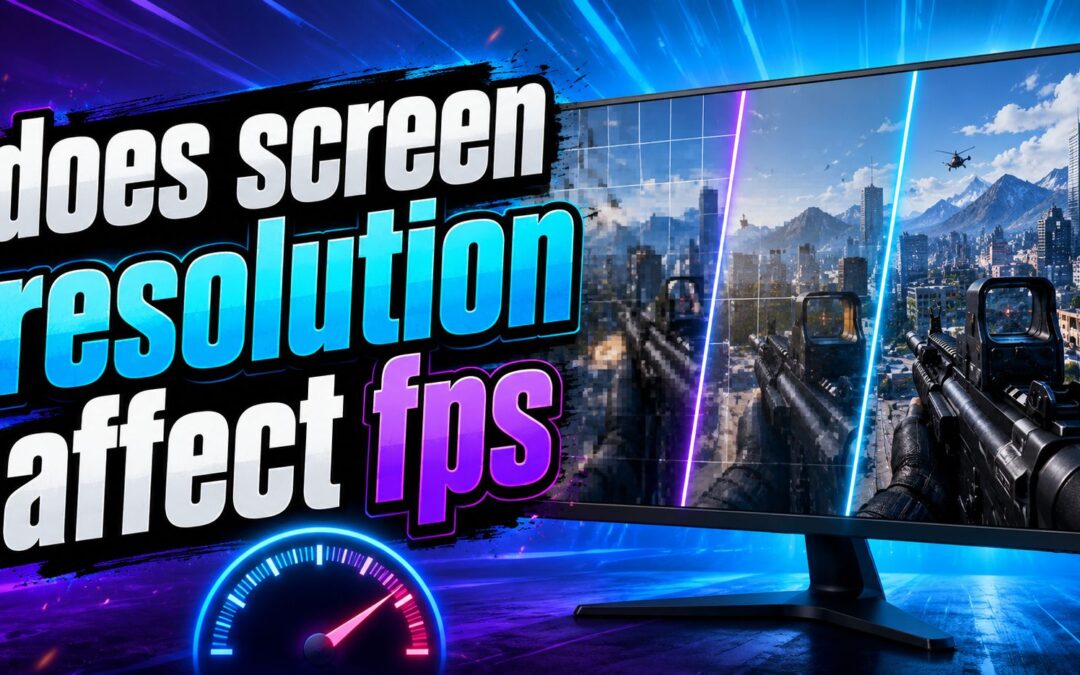
If you have ever changed graphics settings in a game, you have probably wondered, does screen resolution affect fps in a meaningful way? The short answer is yes, but the size of the impact depends on your hardware, game engine, and graphics settings.
Screen resolution controls how many pixels your system must render for each frame. A higher resolution gives you a sharper image, but it also increases the workload on your graphics card.
Frames per second, or FPS, measures how many images your system can produce each second. When the workload becomes too heavy, FPS drops, and gameplay can feel less smooth.
Understanding the link between resolution and FPS helps you choose smarter settings instead of blindly lowering everything. The goal is not always the lowest resolution, but the best balance between clarity, responsiveness, and performance.
Resolution matters because every frame is made of pixels. A 1920×1080 screen displays more than two million pixels, while 2560×1440 displays around 3.7 million pixels.
That increase means your GPU has to shade, texture, light, and process far more visual information. Even if the game looks similar at first glance, the rendering cost can rise sharply.
FPS is also affected by CPU performance, memory speed, background apps, drivers, and in-game settings. Resolution is important, but it is only one part of the full performance picture.
In most modern games, raising resolution puts more pressure on the GPU than the CPU. This is why a powerful graphics card often matters more for 1440p and 4K gaming.
Lowering resolution can improve FPS quickly, especially on older laptops, budget desktops, handheld gaming devices, or systems using integrated graphics.
How Does Resolution Change FPS?
Pixel Count Increases Workload
Higher resolution increases the number of pixels your graphics card must render every frame. Moving from 1080p to 1440p adds a major jump in pixel count, and moving to 4K adds even more. More pixels usually mean lower FPS unless your GPU has enough unused performance.
GPU Limits Become More Obvious
At higher resolutions, games usually become more GPU-bound. This means the graphics card is the main factor holding back performance. If your GPU is already near full usage at 1080p, increasing resolution will likely reduce FPS noticeably.
CPU Bottlenecks Can Hide the Difference
Some games depend heavily on the CPU, especially large strategy games, simulation titles, and competitive games with many players or objects. If the CPU is already limiting FPS, lowering resolution may not improve performance much because the GPU was not the main problem.
Game Engines Respond Differently
Not every game scales the same way with resolution. Some engines are efficient at higher resolutions, while others suffer large performance drops. Open-world games, ray-traced titles, and games with complex lighting often show a stronger FPS impact.
Graphics Settings Can Multiply the Cost
Resolution becomes more demanding when paired with high settings such as ultra textures, ray tracing, shadows, reflections, and anti-aliasing. A game at 1440p with ultra settings may run much worse than the same game at 1440p with optimized settings.
Display Resolution Is Not the Same as Render Resolution
Your monitor may be 1440p or 4K, but the game can render internally at a lower resolution. Render scaling, upscaling, and dynamic resolution can reduce GPU load while still outputting to your display’s native resolution.
Higher FPS Needs Headroom
If you want 120 FPS, 144 FPS, or higher, resolution becomes even more important. A system that handles 4K at 60 FPS may struggle to reach high refresh rates, so competitive players often choose lower resolutions for smoother input and faster response.
Resolution and FPS in Real Use
1. Lowering resolution usually improves FPS because the GPU has fewer pixels to render in each frame.
2. Raising resolution usually reduces FPS when the graphics card is already working near its limit.
3. Resolution changes may have little effect if the CPU, not the GPU, is the main performance bottleneck.
4. Native resolution often looks sharper than non-native resolution, even when non-native resolution gives better FPS.
5. Upscaling tools can help preserve image quality while reducing the performance cost of higher resolutions.
Best Settings to Balance FPS
- Use native resolution: Start with your monitor’s native resolution because it usually provides the cleanest image.
- Adjust render scale: Lower render scale slightly if you need more FPS without making the entire display look blurry.
- Enable upscaling: Use DLSS, FSR, XeSS, or similar tools when available to improve performance at higher display resolutions.
- Reduce heavy effects: Lower shadows, reflections, ray tracing, and volumetric effects before dropping resolution drastically.
- Match refresh rate: Aim for FPS that suits your monitor, such as 60, 120, 144, or 165 frames per second.
- Watch GPU usage: If GPU usage is very high, resolution changes are more likely to affect FPS.
- Test each game: Benchmark your own games because different titles react differently to the same resolution change.
Choosing the Right Gaming Resolution
1080p for High FPS
1080p remains a strong choice for competitive gaming because it is easier to run at high frame rates. Players who value fast response, low input lag, and stable performance often prefer 1080p, especially on midrange hardware.
1440p for Balanced Quality
1440p offers a strong balance between sharp visuals and reasonable performance demands. It looks much clearer than 1080p on larger monitors while remaining much easier to drive than 4K in most modern games.
4K for Visual Detail
4K delivers excellent sharpness and detail, especially on larger screens. However, it places a heavy load on the GPU, so it is best suited for powerful graphics cards or games where visual quality matters more than maximum FPS.
Ultrawide Adds Extra Load
Ultrawide monitors can be more demanding than standard screens at the same vertical resolution because they render additional horizontal pixels. A 3440×1440 display, for example, is harder to run than standard 2560×1440.
Laptops Need Extra Care
Gaming laptops often face power and thermal limits, so resolution choices can have a major effect on FPS. Lowering resolution or using upscaling can reduce heat, improve battery life, and make performance more stable.
Competitive Games Favor Speed
In shooters, battle royale games, and esports titles, many players accept lower resolution or reduced visual settings to gain smoother motion. Higher FPS can make aiming, tracking, and reacting feel more consistent.
Single-Player Games Favor Clarity
Story-driven and cinematic games often benefit more from higher resolution because detail, lighting, and scenery are part of the experience. In these games, a stable 60 FPS at a sharper resolution may feel better than chasing very high frame rates.
Screen resolution does affect FPS because higher resolutions require your system to render more pixels every second. The higher the pixel count, the harder your GPU has to work.
Still, resolution is not the only factor. CPU limits, graphics settings, game optimization, drivers, and upscaling technology all influence the final result.
For most players, 1080p is best for maximum FPS, 1440p is the best balance, and 4K is best for visual detail on powerful hardware.
The smartest approach is to test your own games, monitor performance, and adjust resolution alongside the most demanding graphics settings.
FAQs About does screen resolution affect fps
Does screen resolution affect fps in every game?
Screen resolution affects FPS in most games, but the impact varies. GPU-heavy games usually show a clear difference, while CPU-limited games may show only a small FPS change.
Does lowering resolution always increase FPS?
Lowering resolution often increases FPS, but not always. If your CPU is the bottleneck, reducing resolution may not help much because the graphics card was not limiting performance.
Is 1080p better than 1440p for FPS?
1080p is usually better for FPS because it has fewer pixels to render. However, 1440p provides sharper image quality and can still perform well on modern midrange and high-end GPUs.
Does 4K reduce FPS a lot?
4K can reduce FPS significantly because it has four times as many pixels as 1080p. Strong graphics hardware or upscaling is often needed for smooth 4K gaming.
Can upscaling improve FPS at high resolution?
Yes, upscaling can improve FPS by rendering the game at a lower internal resolution and then reconstructing a sharper image for your display.
Should I lower resolution or graphics settings first?
It is usually better to lower demanding graphics settings first, such as shadows, ray tracing, reflections, and volumetric effects. If FPS is still too low, then reduce render resolution or display resolution.
Does monitor resolution affect FPS outside games?
Monitor resolution can affect performance in 3D apps, video editing, and GPU-accelerated software, but normal desktop use usually shows little difference on modern computers.